

Watchlist
Your pharmacies on one page: items, services, payments and early warnings, with the cards you choose.
Open it from Watchlist in the dashboard menu.
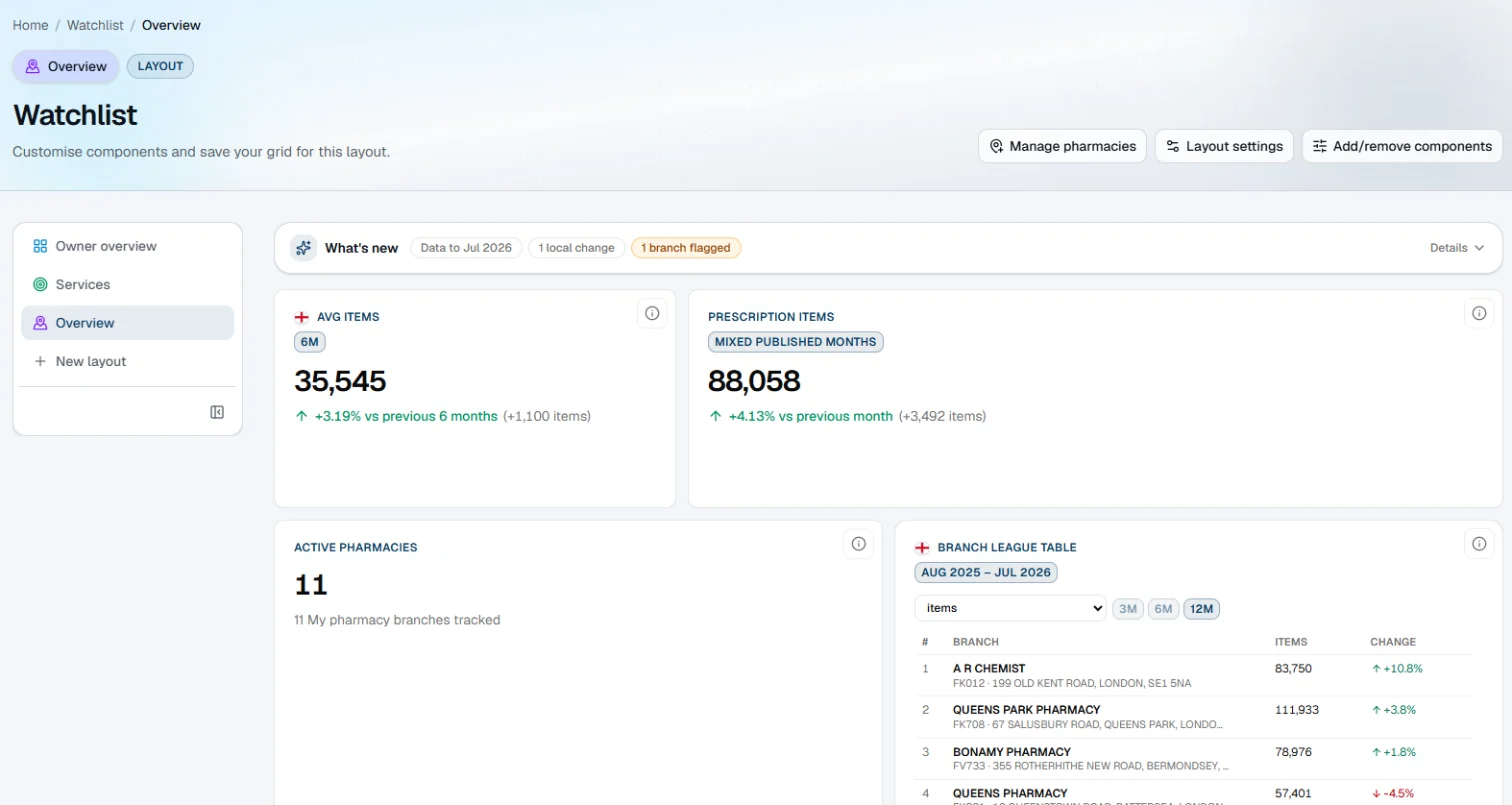
| Control | What it does |
|---|---|
| Manage pharmacies | Add or remove the places you follow |
| Layout settings | Rename the layout, change its icon and colour, tidy the cards, or delete it |
| Add/remove components | Choose the cards on this layout |
| Layouts | Each is a page of cards. New layout makes another |
| What's new | How up to date the figures are, and how many sites have something flagged. Details says which |
Cards
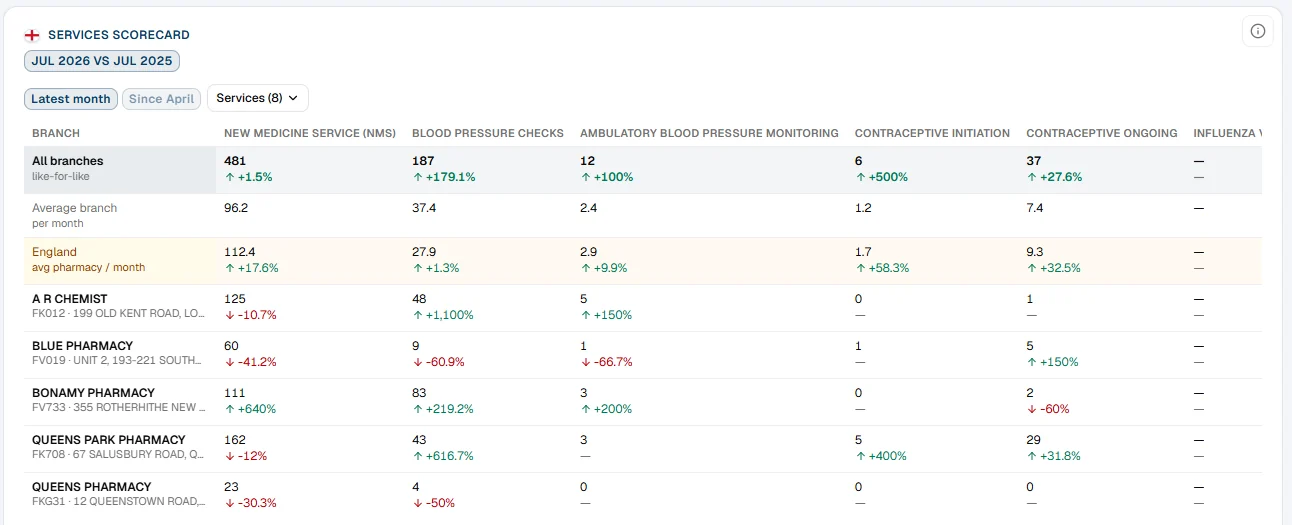
Cards include headline numbers, a branch league table, a services scorecard, early warnings and payments. The ⓘ on each card says what it shows and how it's worked out. A month that hasn't been published shows as a gap, never as £0.
Choosing your cards
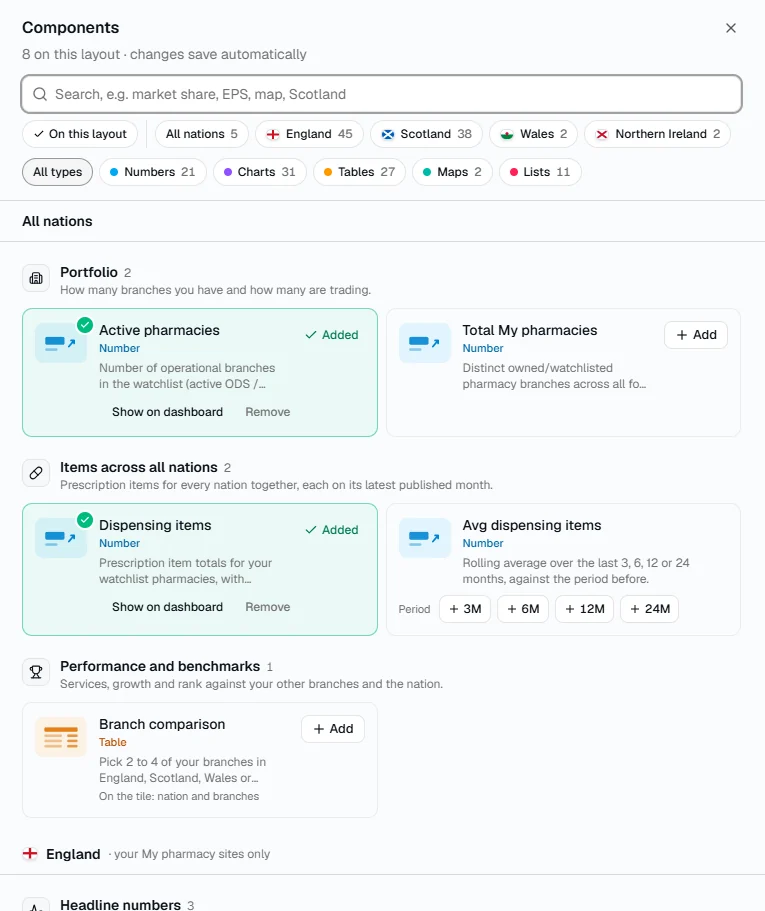
- Click Add/remove components at the top of the Watchlist.
- Filter by nation: many cards use data only one nation publishes.
- Pick a type (numbers, charts, tables, maps or lists) or search, then + Add. Tick On this layout to see what's there.
- Drag a card by the handle at its top to move it. Tidy up tiles closes gaps.
Changes save as you go.
Adding and removing pharmacies
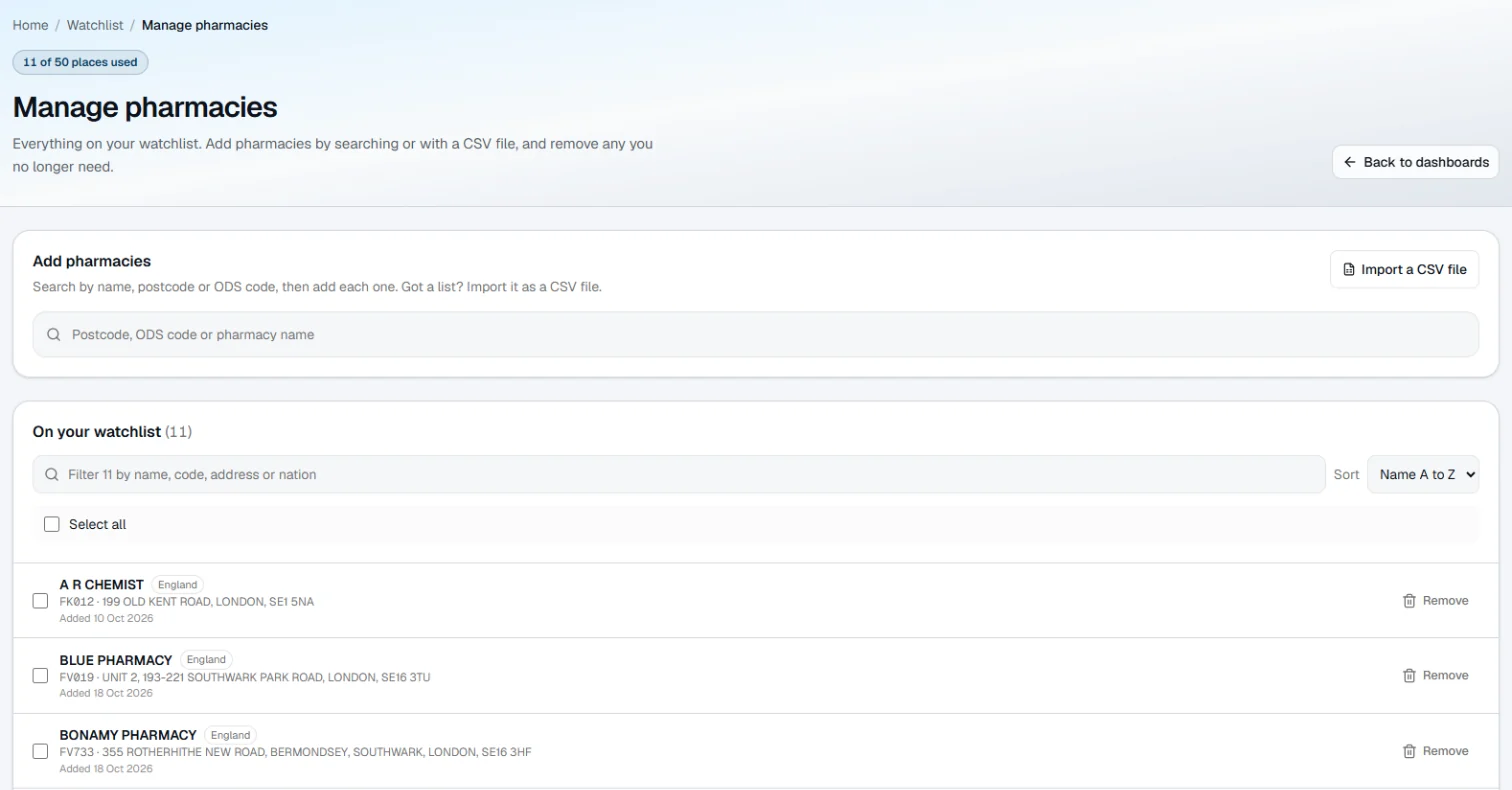
Click Manage pharmacies. Search by name, postcode or code and add each one, or use Import a CSV file for a list. You can also click Add to Watchlist on any pharmacy or practice page.